Activity Favourites: How to Set Up Your KEXBI Scheduler
A guide to choosing the five activities that earn their place in your scheduler by prioritising frequency over aspiration for a faster, more efficient workflow.
~4 MIN · KEXBI RESEARCH
A guide to choosing the five activities that earn their place in your scheduler by prioritising frequency over aspiration for a faster, more efficient workflow.
Five activity slots, surfaced first in the scheduler. What you pick is friction reduction, not metabolic configuration. A short guide to choosing the five that earn the row.
Onboarding asks you to pick up to five activities. They show up as circular tiles at the top of the scheduler, every time you add a session. Tap one and the activity type is filled in. The full library of 102 activity types is still one tap deeper, by category or by search.
Most users mistake the picker for something deeper than it is. Favourites do not turn KEXBI into a runner's app or a lifter's app. They do not change the energy estimate, the fuel timing, or the recovery model. They are a UX shortcut. That is the whole job.
The picker shows five tiles. Tap one and the activity type is locked into the form. Tap the pencil to edit the row. The data sits in your profile under favoriteActivities as a short string array, nothing more.
This matters because users sometimes treat the picker as a way to tell KEXBI what kind of athlete they are. The training discipline question (endurance, strength and power, hybrid, general wellness) does that job earlier in onboarding, and it shapes things downstream like protein floors and macro distribution. The favourites picker has no such effect. It is purely about the speed of scheduling a session.
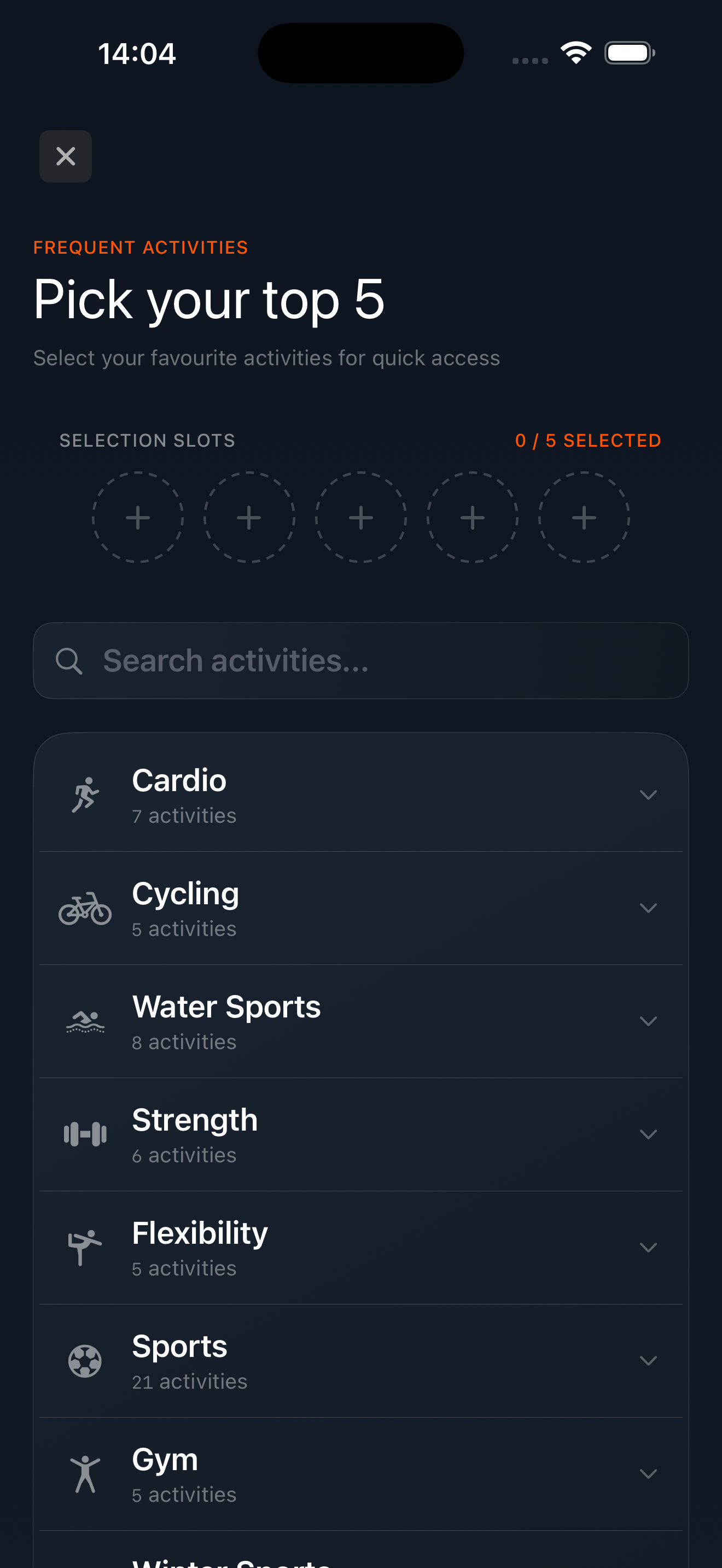
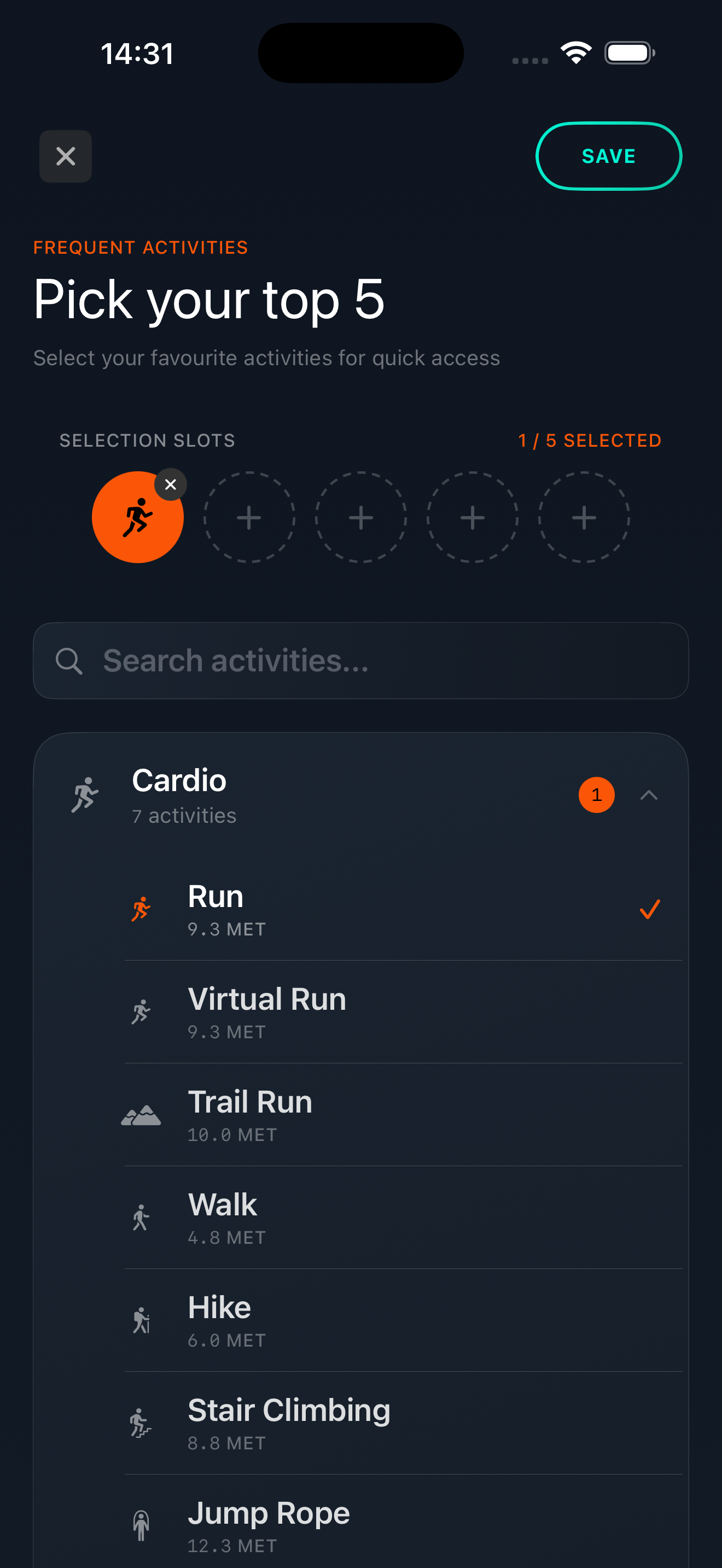
KEXBI's activity library carries 102 activity types across 11 categories. The MET values come from the 2024 Compendium of Physical Activities [1], which is the same reference used by Apple Health, Strava, and most peer-reviewed exercise studies. The breadth matters because it means almost no user has a training type that is missing.
The right rule is simple. Look back at the last four weeks of your training. Count how many sessions you did of each activity type. Your five are the top five by count. If number six is a regular but four-times-a-month activity, pick it over a once-a-month gym class. If number six and seven are tied, leave the slot empty.
Three short sketches of how this lands.
The pattern is the same in each. Pick the parent activity, not the variant, when the variant is irregular. The hybrid above keeps Cycling and Virtual Ride because both happen weekly (outdoor in summer, indoor in winter). The runner does not list Cycling at all because she does not cycle.
Four mistakes account for almost every cluttered favourites picker.
Aspirational picks. "I want to start swimming." Do not pick swimming until you actually swim regularly. The picker is not a vision board. If swimming is in the row and never gets tapped, it is taking the slot of an activity that would.
Breadth over depth. One pick from each of five categories looks balanced and is almost always wrong. Most users have one or two categories where most of their training lives. Five from one category is fine if that is what you do. Picking variety to "stay open" produces a slower scheduler, not a more flexible one.
Variants over parents. Trail Run is a separate type from Run. So is Virtual Run. If you trail-run twice a month and road-run three times a week, pick Run, not Trail Run. The exception is when the variant is your dominant mode (a trail runner who almost never runs road should pick Trail Run instead).
Filling all five. If you do four things every week, a four-tile row is faster than a five-tile row. Empty slots are not a deficiency.
Every time you schedule an activity, the form opens with the favourites row at the top. Tap a tile and the activity type fills in. From there, you set the date, duration, intensity, and the optional toggles (Event, Fasted, Repeat). The fastest path from "open the scheduler" to "save the session" is two taps if the activity is a favourite, four if it is not [2].
The pencil at the right of the row opens the editor. You can rearrange, add, or remove favourites at any time. Behaviourally, this is worth doing every two or three months as your training shifts. A new race block, an injury, a season change. The five that earned the row in March may not be the same five that earn it in September.
Every other activity type stays accessible. Below the favourites row, the form has a search field and the eleven-category accordion. You will not be locked out of paddleboarding or fencing because they are not in your five.
One concrete loadout, to make the rule above tangible. This is the five for a hybrid trainer at 50, lifting four days a week with cardio threaded across the rest, averaging around eight hours of training. Indoor in winter, outdoor when the weather allows. Currently in a Fat Loss block.
Two notes on this set. First, no slot for Yoga or Stretching, because those slip into the week passively (ten minutes after a lift) and rarely get scheduled as a session of their own. Second, no slot for Walking, because walking is constant low-grade activity, captured by the day-job multiplier in the TDEE stack rather than logged as discrete sessions. Yours will be different. The shape of the answer should look similar.
Favourites is the smallest piece of the scheduling system to get right, and the easiest. Five tiles, the top five activities by your last-four-weeks count. Skip aspirations, skip variants you barely touch, skip the urge to fill all five if four covers your week.
Update the row when your training shifts. Trust the rest of the library to be there when the week throws something different at you.
The 102 activity-type count and the eleven-category breakdown reflect KEXBI's current activity library and may grow over time. The MET values KEXBI uses are pulled from the 2024 Compendium [1]. The "five-slot cap" is a KEXBI implementation choice; users limited to four picks lose one slot of UX priority but no functional access to the rest of the library.